ChatGPT Dots vs Grok Bot vs Muse vs Hermes vs Cue
5 New AI Agents Compared: 2026 Setup Guide
SEO title: 5 New AI Agents Compared: 2026 Setup Guide
Meta description: Compare ChatGPT Dots, Grok Bot, Muse, Hermes Agent, and Manus Cue. See setup steps, pros, risks, and the best choice for founders.
Last updated: October 14, 2026. These tools change fast. Check each official site before you sign up.
An AI agent is software that can finish work for you.
It does more than answer a question. It can open apps and take steps. It can also continue after you leave.
Some agents run on a cloud computer. That means a computer on the internet. It stays active when your laptop closes.
Four agents arrived within about two months. A fifth gained wider attention too. Each company wants to own your daily work.
That does not mean you need all five. Most founders need one clear tool. This guide will help you choose it.
Quick comparison
Agent
Made by
Best for
Price or access
Biggest strength
Biggest watch-out
ChatGPT Dots
OpenAI
Founders already using ChatGPT
Pro and Business Premium in eligible places
Works across ChatGPT, Slack, Teams, and many apps
Limited to higher paid plans
Grok Bot
xAI
SuperGrok or Cursor users
Included with eligible paid plans. Check x.ai
Strong computer and file tools
All Bots share one cloud computer
Muse
Meta
Personal errands in the US
Free for most uses. Paid plans add more
Simple personal tasks and protected checkout
US adults only at launch
Hermes Agent
Nous Research
Builders wanting full control
Software is free. Models may cost money
Open source and model choice
Setup needs more technical care
Manus Cue
Manus
Agents that call, email, and pay
Invite access. Check cue.im
Each agent gets its own identity
New product with limited independent testing
ChatGPT Dots

What it is
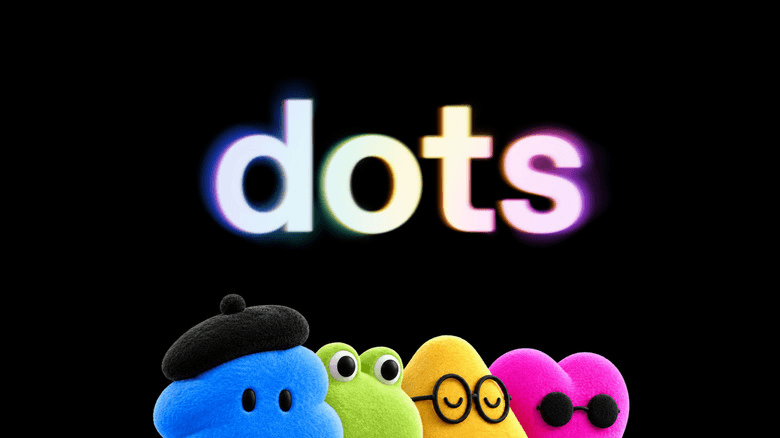
Dots are always-on agents inside ChatGPT. Each Dot has its own cloud computer.
It can keep working after you close the chat. It can also manage follow-ups and recurring work.
OpenAI says Dots connect with over 4,000 apps. You can reach them through ChatGPT, Slack, and Teams. Text messaging is coming later.
Who it is for
Dots fit founders who already live inside ChatGPT. They also fit teams using Slack or Teams.
Pros
- It works inside tools many founders already use.
- It can continue work without your laptop.
- You can set rules for sensitive actions.
Cons
- Access needs an eligible paid plan.
- Rollout and country access may differ.
- Background work still needs human review.
How to set up ChatGPT Dots
- Check your plan and country on the official Dot guide.
- Open ChatGPT on desktop web or the desktop app.
- Follow the Dot onboarding steps shown in ChatGPT.
- Give your Dot a simple name and one clear job.
- Open its profile. Then review the available app connections.
- Connect only one app for your first test.
- Read every permission before you approve access.
- Add rules for sending, deleting, publishing, and spending.
- Give it one small task. Review every result yourself.
- Add a schedule only after the task works well.
OpenAI says mobile creation is not supported at launch. Use desktop for setup.
First three safe tasks
- Summarize tomorrow's calendar each evening.
- Draft a weekly update from approved notes.
- Research three competitors and cite every source.
Safety settings to turn on
- Require approval before sending any message.
- Block purchases and production changes at first.
- Give each connected app the smallest useful access.
- Review the Activity View every week.
- Pause the Dot when you stop using it.
Grok Bot
What it is
Grok Bot is separate from the normal Grok chatbot. It has been in beta since August 2026.
It uses a cloud computer with a browser and files. It can also run terminal commands. Those are typed commands that control a computer.
It keeps working when your laptop is off. It uses xAI models only.
Who it is for
Grok Bot fits teams already paying for SuperGrok or Cursor. It also suits repeat computer tasks.
Pros
- It can work across browsers, files, and terminal tools.
- It supports useful business connectors.
- A working task can become a saved routine.
Cons
- All Bots on one account share one cloud computer.
- Shared files and sign-ins are not separate security walls.
- Standalone price reports conflict. Check x.ai.
How to set up Grok Bot
- Check plan access in the official quick start.
- Download the Grok Bot app for your computer.
- Sign in with the account holding your eligible plan.
- Select New in the sidebar.
- Give the Bot one job. Avoid a broad “general helper” role.
- State what it must never do without approval.
- Connect one needed service. Use a connector when available.
- Complete passwords and two-step codes yourself.
- Review the first result. Correct any bad assumptions.
- Save a skill or routine only after several good tests.
First three safe tasks
- Draft a weekly account report without sending it.
- Sort approved files into a proposed folder plan.
- Compare campaign results without changing budgets.
Safety settings to turn on
- Add Ask first rules for sending and publishing.
- Require approval for deleting or overwriting files.
- Keep local computer access off unless needed.
- Never store secrets another Bot should not see.
- Review routines and recent runs each week.
Muse

What it is
Muse is Meta's personal AI agent. Meta announced it on September 8, 2026.
It has a secure cloud computer and browser. It continues working after you close the app.
Muse can fill forms and complete online checkout. A one-time card can hide your real card number.
Muse asks before sensitive actions. These include sending emails and making purchases.
Who it is for
Muse fits adults in the United States. It is best for personal tasks and errands.
Muse for Small Business arrived on September 29, 2026. It adds more business connections.
Pros
- It is designed for people without technical skills.
- It asks before sensitive actions.
- It supports personal errands and online purchases.
Cons
- It is US only and adults only at launch.
- Some features depend on connected services.
- Wider business use is still new.
How to set up Muse
- Confirm current access at muse.ai.
- Use the website or install the iOS or Android app.
- Follow the official onboarding shown in the product.
- Explain one goal in plain words.
- Connect one app needed for that goal.
- Choose the smallest access level offered.
- Keep sending and buying behind approval.
- Test a task that cannot harm your business.
The public launch page does not show every screen. Follow the current product steps.
First three safe tasks
- Build a personal plan from your calendar.
- Find travel options without booking anything.
- Draft an email without sending it.
Safety settings to turn on
- Keep approval on for emails and purchases.
- Review every connected app and permission.
- Use a small purchase budget when testing.
- Check the audit trail after each task.
- Disconnect services you no longer use.
Hermes Agent

What it is
Hermes Agent is free and open source. Open source means anyone can inspect its code.
It uses an MIT license. It supports many AI models and your own API keys. An API key is a secret code that connects paid services.
Hermes remembers past sessions. It can create and improve reusable skills.
It runs on macOS and Windows desktop apps. It also supports command line and API use. An API lets software talk to other software.
Hermes connects with more than 20 chat services. These include Slack, WhatsApp, Telegram, Discord, and Teams.
Who it is for
Hermes fits technical founders and builders. It works well when control and model choice matter.
Pros
- The software is free and open source.
- You can choose from many model providers.
- Memory and skills can improve repeat work.
Cons
- Model use and hosted tools may still cost money.
- Setup is harder than a normal consumer app.
- You must manage security and updates carefully.
How to set up Hermes Agent
- Use the official Hermes quick start.
- Install Hermes Desktop on macOS or Windows.
- For command line use, follow the official install command.
- Run
hermes setup. - Choose one model provider with
hermes model. - Add the required account or API key.
- Start one normal chat. Confirm it answers correctly.
- Test tools only after the basic chat works.
- Add a messaging gateway after local tests pass.
- Add memory, skills, or schedules one feature at a time.
Do not use hermes-agent.ai for this setup. It is a separate third-party service.
First three safe tasks
- Summarize public research into a local file.
- Draft code changes without running them.
- Create a reusable meeting summary skill.
Safety settings to turn on
- Require approval for terminal commands.
- Keep secrets in the official secure settings.
- Use separate profiles for separate agents.
- Set spending limits with your model provider.
- Start inside a test folder or safe container.
Manus Cue

What it is
Cue is a separate personal agent app from Manus. It launched beside Manus 2.0 on September 28, 2026.
Each agent gets an email, phone number, wallet, and computer. It can take calls and leave a summary.
You choose its apps and approval rules. You also set the budget it can use.
Who it is for
Cue fits people wanting one agent with a working identity. It can call, email, and pay within set limits.
Pros
- Each agent gets its own work identity.
- It can handle calls and leave summaries.
- App access and payment budgets can be limited.
Cons
- Access starts with an invite code.
- Current plans may change. Check cue.im.
- Performance claims lack broad independent testing.
How to set up Manus Cue
- Visit cue.im on web or desktop.
- Download the current app or use the shown web option.
- Enter an invite code if the product asks for one.
- Follow Cue's current onboarding steps.
- Create one agent with one narrow role.
- Choose only the apps needed for that role.
- Set approvals for messages, calls, and payments.
- Set a small wallet budget before any test purchase.
- Test a research task before giving action access.
Cue is in early access. Check the official site for current screens.
First three safe tasks
- Research meeting options without booking them.
- Answer a test call and create a summary.
- Draft an email without sending it.
Safety settings to turn on
- Require approval for every payment.
- Require approval before messages or calls go out.
- Connect only the needed apps.
- Set a small budget for each agent.
- Review its summaries and action history.
Which one should you pick?
Use this simple guide.
- Already use ChatGPT every day? Choose ChatGPT Dots.
- Your team uses SuperGrok or Cursor? Try Grok Bot.
- Need personal errands in the US? Try Muse.
- Want full control and model choice? Choose Hermes Agent.
- Need calls, emails, and payments? Test Manus Cue.
Do not choose from a feature list alone. Pick one real weekly task. Then test the full task.
My pick for founders: ChatGPT Dots
My first choice for most founders is ChatGPT Dots.
It already lives where many founders work. That includes ChatGPT, Slack, and Teams.
It can run recurring work in the background. It also connects with over 4,000 apps.
The approval rules matter most. You can decide when it must stop and ask.
The honest catch is access. Dots require top paid plans in eligible countries.
Do not start with payments or customer messages. Start with research, summaries, and drafts.
Let it prove itself on small jobs first. Access can grow after trust grows.
Five rules before any agent enters your business
1. Start small
Give it one low-risk task. Watch the full process several times.
2. Require approval for sending and paying
Drafting is safer than sending. Comparing prices is safer than buying.
3. Connect only needed apps
More access creates more risk. Remove old connections quickly.
4. Set budget limits
Limit model spending and purchase spending. Start with the smallest useful amount.
5. Review its work weekly
Check errors, missed steps, and strange choices. Update the rules after each review.
FAQ
Is an AI agent safe?
No agent is risk-free. Safety depends on access, rules, and review.
Keep important actions behind approval. Never give broad access on day one.
Do I need to code?
Not for Dots, Grok Bot, Muse, or Cue setup. Hermes may need command line work.
What does it cost?
Costs differ by tool and country. Plans also change often.
Check each official site before buying. Hermes software is free. Its models may cost money.
Can these agents make mistakes?
Yes. They can misunderstand instructions or use old information.
They can also take the wrong action. Review important work before it leaves your business.
Which agent is best for a small team?
ChatGPT Dots is my general pick for founders. It fits common team tools.
Grok Bot makes sense for existing Cursor or SuperGrok teams. Hermes suits technical teams needing control.
Final take
These tools are moving from chat into real work. That makes access controls more important.
Choose one agent and one small task. Set clear limits. Review the work.
Then expand only when the results stay reliable.
Follow @salama_win on Instagram for no-fluff AI.
Sources
ChatGPT Dots
- OpenAI: Introducing Dots
- OpenAI Help: Getting started with your Dot
- OpenAI: DevDay 2026 recap
- CNBC: OpenAI DevDay 2026 live updates
- TechCrunch: OpenAI launches Dots
- 9to5Google: OpenAI Dots agent
Grok Bot
- xAI: Introducing Grok Bot
- xAI Docs: Grok Bot quick start
- xAI Docs: Computer and apps
- xAI Docs: Approvals, security, and privacy
- xAI Docs: Skills and routines
- xAI Docs: Connectors
- Vellum: Grok Bot breakdown
- Composio: Guide to Grok Bot
Muse
- Meta: Introducing Muse
- Meta: Muse for Small Business
- Muse official site
- CNBC: Meta launches Muse for Small Business
Hermes Agent
- Hermes Agent official site
- Hermes Agent documentation
- Hermes Agent quick start
- Hermes Agent model providers
- Nous Research: Hermes Agent on GitHub
Manus Cue
Stay ahead of the curve
Join my private newsletter for exclusive insights, tools, and thoughts straight to your inbox. No spam, just value.